
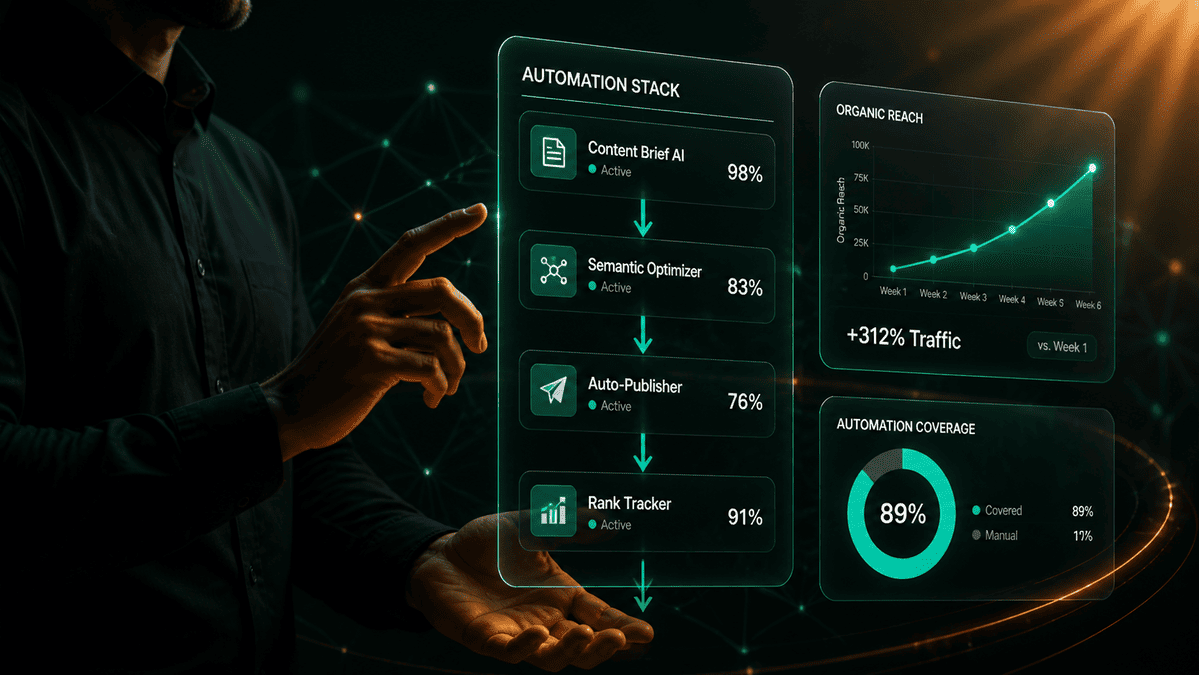
Quick answer: A marketing automation stack for AI-native SEO is the combination of workflow platforms, API connections, and trigger-based systems that handle the repeatable execution tasks in an SEO operation — rank change alerts, content publishing notifications, keyword clustering, internal link audits, and reporting pipelines — without requiring manual intervention at each step. The right stack eliminates the execution bottlenecks that prevent SEO teams from acting on strategy at the pace AI search demands.
Affiliate disclosure: Some links in this article are affiliate links. If you purchase through them, AEO Insider earns a commission at no extra cost to you. We only recommend tools we’ve evaluated against the criteria in this guide.
SEO in 2026 has a speed problem. AI search surfaces change faster than manual monitoring workflows can track. Google AI Overview appearances shift week to week. Perplexity citation patterns update as new content indexes. Rank movements that used to be monthly events now happen daily. A team that relies on manual processes to monitor, report, and respond to these changes is always operating on stale data — reacting to last week’s reality rather than acting on this week’s.
Automation solves the speed problem by removing the human from the monitoring and aggregation stages of the SEO workflow. Automated systems watch rank movements, flag citation appearances, aggregate performance data, and trigger reporting — in real time, without anyone manually checking dashboards. This frees practitioners to spend their time on the tasks that actually require human judgment: strategy, content quality, and editorial decision-making.
This guide covers the complete marketing automation stack for AI-native SEO: the platforms that belong in it, the tasks that should be automated first, how Make and Zapier compare, and what a functional stack looks like end to end. For the workflow context this stack operates within, see the AI content workflow guide for SEO teams.
What Is a Marketing Automation Stack for AI-Native SEO?
A marketing automation stack for AI-native SEO is a set of integrated tools and workflows that handle the execution layer of an SEO operation — the tasks that are repeatable, rule-based, and do not require practitioner judgment on each occurrence. It is distinct from the content production workflow (which uses AI for drafting and research) and the analytics stack (which provides performance data) — it is the connective tissue that makes both of those systems respond to signals automatically rather than requiring a human to manually trigger each action.
The stack operates across three functional categories. The first is monitoring and alerting — systems that watch for defined changes (rank drops, traffic anomalies, new AI Overview appearances) and notify the team without manual checks. The second is data aggregation and reporting — pipelines that pull data from multiple sources, format it consistently, and push it to dashboards or reports on a schedule. The third is workflow orchestration — the trigger-condition-action logic that connects tools and automates handoffs between stages of the SEO operation.
A functional automation stack does not require engineering resources. The platforms that power it — Make, Zapier, n8n — are no-code or low-code tools designed for marketers and operators. The skill required is systems thinking: the ability to map a repeatable manual process into a trigger, a set of conditions, and a defined action. That mapping is a practitioner skill, not a technical one.
Which Platforms Belong in an AI SEO Automation Stack?
An AI SEO automation stack has five platform categories. Each category handles a distinct functional layer — removing one creates a gap that forces manual intervention back into the system.
| Category | Primary Option | Alternative | Function in the Stack |
|---|---|---|---|
| Workflow automation platform | Make (formerly Integromat) | Zapier, n8n | The orchestration layer — triggers, conditions, and actions that connect all other tools |
| SEO data source | Ahrefs API / Semrush API | SE Ranking API, Google Search Console API | Provides rank data, backlink signals, keyword changes, and AI Overview appearance data |
| AI processing layer | Claude API (Anthropic) | OpenAI API (GPT-4o) | Handles language tasks inside automated workflows — summarising reports, generating brief outlines, flagging content gaps |
| Notification and communication | Slack | Email (Gmail), Microsoft Teams | Delivers alerts, reports, and workflow status updates to the team without requiring dashboard logins |
| Data storage and reporting | Google Sheets + Looker Studio | Notion database, Airtable | Stores aggregated data from all sources and surfaces it in automated dashboard reports |
A lean stack — Make, Google Search Console API, Claude API, Slack, and Google Sheets — covers all five categories at low cost and handles the majority of SEO automation tasks a content-led site needs. The Ahrefs or Semrush API becomes valuable once you are tracking rank movements for more than 200 keywords and need automated competitive intelligence alongside rank data. The n8n alternative to Make is worth considering for teams with technical resources who want self-hosted automation with full control over data flow.
Which SEO Tasks Should Be Automated First?
Not every SEO task is worth automating. The highest-return automations are tasks that are high-frequency, rule-based, and currently consuming disproportionate practitioner time. Start with these five before building any complex multi-step workflows.
- Rank change alerts. Set a threshold (any keyword moving more than five positions in 24 hours) and trigger an automatic Slack notification with the keyword, old position, new position, and a direct link to the GSC or Semrush report for that keyword. This single automation eliminates the daily manual rank check that most SEO practitioners perform — replacing a 20-minute daily task with an alert that appears only when something has actually changed.
- Publish-to-indexing pipeline. When a new post is published in WordPress, automatically trigger a Google Search Console URL inspection and indexing request via the GSC API, post a Slack notification to the team with the article title and URL, and create a row in the content tracking Google Sheet with the publish date and initial keyword targets. This three-step automation takes four to six hours to build once and eliminates a manual process that is consistently skipped under publication pressure.
- Weekly performance digest. Every Monday morning, a scheduled workflow pulls seven-day data from Google Search Console (clicks, impressions, top queries), formats it as a structured summary, and posts it to a dedicated Slack channel. The digest takes the same format every week, so team members can read it in two minutes and immediately identify what needs attention. This replaces the manual dashboard check that most teams do inconsistently — some weeks thoroughly, other weeks not at all.
- Content gap monitoring. A weekly workflow checks your target keyword list against current SERP data and flags any keyword where a competitor has published a new article that now ranks above your content. The output is a prioritised list of content refresh or new article opportunities delivered automatically — replacing the ad hoc competitive monitoring that typically happens only when someone remembers to check.
- AI Overview appearance tracking. For sites tracking citation economy performance, a weekly automation queries your target keywords against Semrush or SE Ranking’s AI Overview data and logs whether your pages are appearing in AI Overviews for those keywords. This data, automatically aggregated in a Google Sheet, gives you a citation visibility trend line without any manual tracking effort.
These five automations cover the monitoring and reporting layers of the SEO operation. Build them in this order — starting with rank change alerts and the publish pipeline — and measure the time saved before adding more complex workflow orchestration. The goal is not to automate everything at once; it is to eliminate the highest-cost manual tasks first and build the automation habit incrementally.
How Do Make and Zapier Compare for SEO Automation?
Make and Zapier are the two dominant no-code workflow automation platforms for SEO operations. They handle similar task categories but differ significantly in capability, complexity, and cost — and the right choice depends on the complexity of automation you need and the technical confidence of your team.
| Dimension | Make | Zapier |
|---|---|---|
| Complexity ceiling | High — handles branching logic, data transformation, iterators, and multi-path workflows natively | Medium — linear workflows are easy; complex branching and data manipulation require workarounds |
| Learning curve | Steeper — visual builder requires understanding of data flow and module connections | Gentler — step-by-step interface is accessible to non-technical users immediately |
| API and HTTP support | Excellent — native HTTP module makes any API accessible without a pre-built connector | Good — HTTP requests supported but less flexible than Make’s implementation |
| Data transformation | Strong — built-in functions for parsing, filtering, and transforming data within workflows | Limited without add-ons — basic text and number formatting only natively |
| Cost at scale | Lower — pricing based on operations, making complex multi-step workflows more cost-effective | Higher at scale — pricing based on tasks, meaning each action step costs separately |
| Best use case for SEO | Complex multi-step workflows: AI Overview tracking, content gap analysis, multi-source reporting pipelines | Simple linear automations: publish notifications, rank alert triggers, form-to-sheet data capture |
The practical recommendation: start with Zapier if your team has no automation experience and your initial automations are linear (publish → notify → log). Move to Make when you need data transformation, branching logic, or workflows that pull from multiple APIs in a single run. Many SEO operations run both — Zapier for simple, high-frequency automations that need to be set up quickly, and Make for the complex, high-value reporting and analysis pipelines that justify the setup investment.
n8n is the third option for teams with a developer or technically confident operator: self-hosted, fully customisable, and free for self-hosting. It has the highest capability ceiling of the three but requires the most setup and maintenance. For most content-led SEO operations, Make covers 95% of use cases without the infrastructure overhead.
Running n8n on a self-hosted GCP instance adds one specific capability Make cannot replicate cleanly: custom code nodes mid-workflow. The keyword clustering pipeline on this stack hits the DataForSEO API, runs a Python script for cosine similarity grouping inside the workflow, and dumps structured clusters directly into Google Sheets — the code node is where n8n genuinely earns its keep. A content freshness monitor also runs on the same instance: it crawls published URLs, checks ranking deltas via Ahrefs API, and flags refresh candidates to Slack automatically. Where n8n creates more friction than it saves: credential management after GCP updates. Service account token rotations have twice killed three workflows simultaneously with zero native alerting — the only signal was a Sheets tab that stopped updating. For anything that does not need custom code mid-flow, Make is still faster to build and cheaper to maintain.
How Do You Build Your First SEO Automation Workflow in Make?
The publish-to-indexing pipeline is the highest-value first automation for a content site and the best one to build as a learning project. It touches three systems (WordPress, Google Search Console, Slack), involves a simple trigger-action structure, and delivers immediate, measurable value from the first time it runs.
The build process has five steps:
- Set the trigger. In Make, create a new scenario. Set the trigger module to WordPress → Watch Posts. Configure it to fire when a post status changes to “published.” This is the event that starts every subsequent action in the workflow.
- Connect Google Search Console. Add an HTTP module after the trigger. Configure it to call the Google Search Console URL Inspection API with the published post URL as the input. This submits the URL for indexing immediately after publish — eliminating the lag between publication and Googlebot discovery. You will need a Google Cloud service account with Search Console permissions to authenticate this API call.
- Post a Slack notification. Add a Slack module. Configure it to post to your SEO team channel with a message template: “New post published: [Post Title] — [Post URL] — Indexing request submitted.” This gives the team immediate visibility of new publications without requiring anyone to check the CMS.
- Log to Google Sheets. Add a Google Sheets module. Configure it to append a new row to your content tracking sheet with: post title, URL, publish date, author, primary category, and a “Submitted for indexing” status field. This creates the permanent tracking record for the content performance monitoring workflow.
- Test and activate. Run the scenario with a test post. Verify the GSC indexing request fires (check the URL Inspection tool in Search Console within a few minutes), the Slack notification appears, and the Google Sheet row is created correctly. Once all three actions verify, activate the scenario. It will run automatically on every future publish event without any manual trigger.
Total build time for this workflow: 3–4 hours including API setup and testing for someone new to Make. The ongoing maintenance time: zero. Every article published from this point forward is automatically submitted for indexing, logged, and notified — a compounding return on a one-time build investment.
In practice, the publish-to-indexing pipeline was not the first automation built — it came third. The first was a client reporting pull: GA4 and Google Ads data routed to Google Sheets and formatted as a PDF summary, emailed every Monday at 7am. Unglamorous, but it compounded immediately because it eliminated 2–3 hours of manual reporting per client per week, and that reclaimed time went directly into building the next workflow. The automation that produced the most durable compounding value was number two: an Ahrefs rank tracker feeding a content refresh queue, where any article dropping more than five positions in 30 days is automatically added to a prioritised board. Six months in, that single flow has directly influenced more than 40 content updates — and those updates now drive a measurable share of traffic growth that can actually be pointed to.
What Does a Complete AI SEO Automation Stack Look Like in Practice?
A mature AI SEO automation stack for a content-led site running 2–3 articles per week and tracking 300–500 keywords operates across four layers, with automations at each layer handling a defined category of tasks.
| Layer | Automations Running | Tools | Frequency |
|---|---|---|---|
| Publishing | Publish → GSC indexing request → Slack notification → Content tracker log | Make + WordPress API + GSC API + Slack + Google Sheets | Every publish event |
| Monitoring | Rank change alerts (±5 positions); AI Overview appearance changes; Backlink gain/loss alerts | Make + Semrush API or SE Ranking API + Slack | Daily |
| Reporting | Weekly performance digest (clicks, impressions, top queries); Monthly citation visibility report (AI Overview appearances by keyword); Content decay scan (articles losing rank) | Make + GSC API + Google Sheets + Looker Studio | Weekly / monthly |
| Content intelligence | Competitor new content alerts (new articles ranking for target keywords); People Also Ask change monitoring; Topic gap identification report | Make + Ahrefs API or Semrush API + Claude API + Slack | Weekly |
This full stack runs largely unattended. The team receives alerts when something needs attention, digest reports on schedule, and intelligence summaries weekly — without anyone checking dashboards, pulling data manually, or running recurring reports by hand. The practitioner time that was previously absorbed by these tasks is freed for the work that actually moves the needle: content strategy, editorial quality, and citation optimisation.
One failure mode the table above does not show: the automation that runs successfully but returns nothing. The Google Search Console weekly ranking digest stopped firing useful data when the GSC API changed its OAuth scope requirements in a minor update — the authentication showed as valid in the workflow interface, the scenario showed as active, but the data pull was returning empty arrays silently instead of erroring. The workflow completed every week. The Slack message never arrived. Detection took 19 days, when a client asked why the report had stopped landing. The fix took 20 minutes. Every pipeline built since includes a downstream row-count check: if the output is below a minimum threshold, a Slack alert fires immediately. An empty successful response is not a success.
For a deeper look at the tools that power this stack, see the complete AI SEO tools guide for 2026.
Frequently Asked Questions
The Bottom Line
A marketing automation stack is not a luxury for large SEO teams — it is infrastructure for any content operation that wants to compete in AI-first search. The monitoring, reporting, and workflow orchestration tasks that automation handles are tasks that must be done consistently to make good strategic decisions. Without automation, they get done inconsistently — which means decisions get made on incomplete data, opportunities get missed because alerts arrived too late, and practitioners spend their best hours on tasks that add no strategic value.
Build the lean stack first. Five automations, one workflow platform, one data source, one notification channel, one reporting destination. Run it for 60 days. Measure the time reclaimed. Then build from there — adding intelligence layers as the foundational monitoring and reporting layers prove their value. The teams with the most effective AI SEO operations in 2026 are not the ones with the most sophisticated automation stacks — they are the ones that built their core automations early and have been compounding the benefits ever since.
Next: see how AI agents extend automation into goal-driven research and analysis tasks in the AI agents for SEO automation guide — or explore the full automation hub for every workflow and reporting system in the stack at aeoinsider.com/ai-marketing-automation.

Written by
AEO Insider Editorial Team
We help modern marketers and operators get their content cited by AI, discovered in search, and wired into scalable growth systems. Our collective focus is entirely on the cutting edge of AEO, GEO, and AI-native SEO.
ABOUT AEO Insider →